
 Apple
Apple
 Samsung
 Google Pixel



How to Open Your Waterproof Phone Case Safely and Easily
Waterproof phone cases are indispensable for protecting your phone from water, dust, and other elements. Whether you’re enjoying a beach day or hiking in the rain, these cases ensure that your device stays safe and functional. However, opening a waterproof case can sometimes seem tricky, especially if you’ve never done it before. In this article, we’ll walk you through the precise steps needed to open your waterproof phone case properly, without damaging the case or your phone.
Step-by-Step Guide to Opening Your Waterproof Phone Case:
1. Identify Your Waterproof Case Design:
Before you start, it’s essential to know what type of waterproof case you’re dealing with. This will help you understand the specific method for opening it. Here are the main types of waterproof cases:
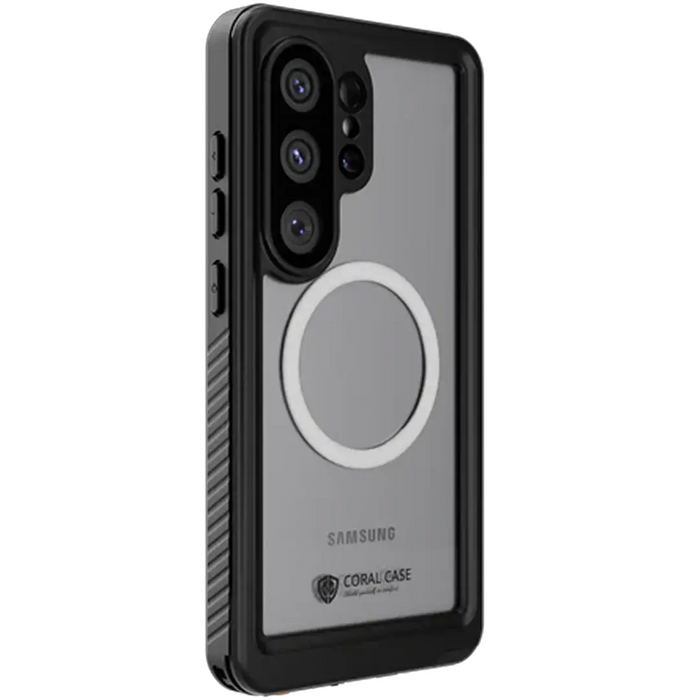
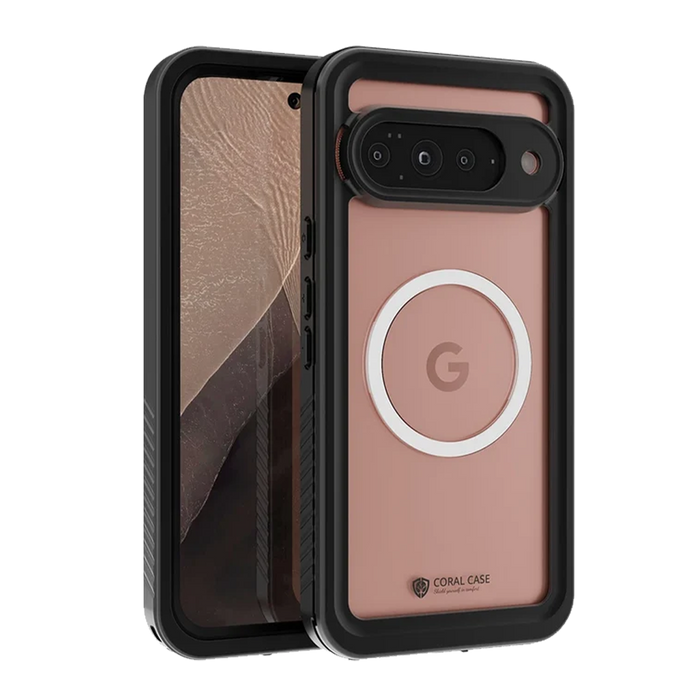
- Hard Shell Cases: These typically have a two-piece design, often featuring a snap or latch system to secure your phone.
- Pouch-Style Cases: These are often sealed with zip-lock closures or roll-top seals and are commonly used for lightweight, on-the-go protection.
- Flip-Top or Clamshell Cases: These feature a front flap that may be secured with Velcro, snaps, or magnetic closures, giving you quick access to your device.
Knowing which design you have will make it easier to follow the correct procedure for opening your case safely and without causing damage.
2. Locate the Opening Mechanism:
Once you know the case type, look for the opening mechanism:
- For Hard Shell Cases: Check for a small latch, clasp, or button located along the edges or sides of the case. This is the locking mechanism that secures the case.
- For Pouch-Style Cases: Typically, these cases will have a zip-lock closure or a roll-top seal. Look for the zipper or a closure clip that keeps the case sealed.
- For Flip-Top or Clamshell Cases: These will have a flap secured by Velcro, a snap closure, or sometimes a magnetic seal. Identify which type of closure is used before proceeding.
3. Release the Lock or Seal:
Once you've located the correct opening mechanism, carefully release or unseal it:
- For Hard Shell Cases:
- Unlocking the Latch or Button: If your case has a latch or button, gently press or slide it to release the lock. Most hard shell cases have a locking mechanism on the side. Press or slide the latch to unlock the case.
- Separating the Two Halves: Once the lock is disengaged, gently pull apart the top and bottom halves of the case. Take your time to avoid any forceful separation, which could damage the case.
- For Pouch-Style Cases:
- Opening the Zip Lock or Roll-Tops: For zippered cases, pull the zipper carefully to open the case. For roll-top cases, unroll the top and fold it back to expose the phone compartment. Be gentle to avoid stressing the seal.
- Check for Dirt or Sand: Sometimes, dirt or sand can get stuck in the zipper or roll-top seal. Gently remove any debris before fully opening the case to maintain the waterproofing.
- For Flip-Top or Clamshell Cases:
- Unfasten the Velcro or Snap: Gently pull apart the Velcro or snap closure. Some cases may also have a magnetic seal, which requires gently pulling the flap apart.
4. Carefully Remove Your Phone from the Case:
After successfully opening the case, remove your phone carefully.
- Lift the phone gently from the bottom or sides, ensuring you don’t apply unnecessary pressure.
- Don’t force the phone out—if it’s not coming out easily, double-check the opening and make sure the case is fully open.
5. Inspect the Seals Before Reassembling:
Before closing the case again, inspect the seals and locking mechanism:
- Check for Dirt and Debris: Make sure the rubber seals around the case are free from dirt, sand, or moisture that could compromise the waterproofing.
- Look for Wear and Tear: Check for any cracks or damage to the seals, which might affect the case’s ability to protect your phone from water. If you notice any issues, consider replacing the case or repairing the seals before using it again.
6. Close the Case Properly:
Once your phone is out and you’ve inspected the seals, you’re ready to close the case:
- For Hard Shell Cases: Align the top and bottom halves of the case and press them together firmly. Ensure the latch or locking mechanism securely clicks back into place.
- For Pouch-Style Cases: Make sure the zip or roll-top seal is fully closed. If the case has additional clips or fastenings, ensure they are tightly secured.
- For Flip-Top or Clamshell Cases: Close the flap and press the Velcro or snap closure back into place. If the case uses magnets, make sure they align and seal properly.
Tips for Maintaining Your Waterproof Case:
- Clean Regularly: Dirt, sand, and water deposits can compromise your case’s effectiveness. Clean the case regularly with fresh water and a soft cloth to remove any buildup.
- Dry Thoroughly: After opening the case, dry both the inside and outside to avoid moisture buildup that could damage your phone or create mildew.
- Inspect Seals for Wear: Over time, seals can degrade, affecting the waterproofing capabilities. Regularly check the seals and consider replacing the case if necessary.
- Avoid Overstretching the Case: Don’t stuff more items into your case than it’s designed for. Overloading it can stretch the seals and make it more prone to water leaks.
Conclusion:
Opening a waterproof phone case doesn’t have to be complicated, but it’s essential to follow the correct steps to ensure that you don’t damage the case or your phone. By identifying the type of case you have, using the correct unlocking method, and inspecting the seals, you can open and close your case safely every time.
With regular maintenance and care, your waterproof case will continue to protect your phone for all your outdoor adventures. Remember, a properly sealed case is key to keeping your device safe from water damage.
For more high-quality waterproof and water-resistant phone cases, visit Coralcase.ca. We offer durable, reliable, and sleek designs that keep your phone safe while you enjoy the great outdoors or simply want peace of mind on a rainy day. Explore our selection today and give your phone the protection it deserves!


